
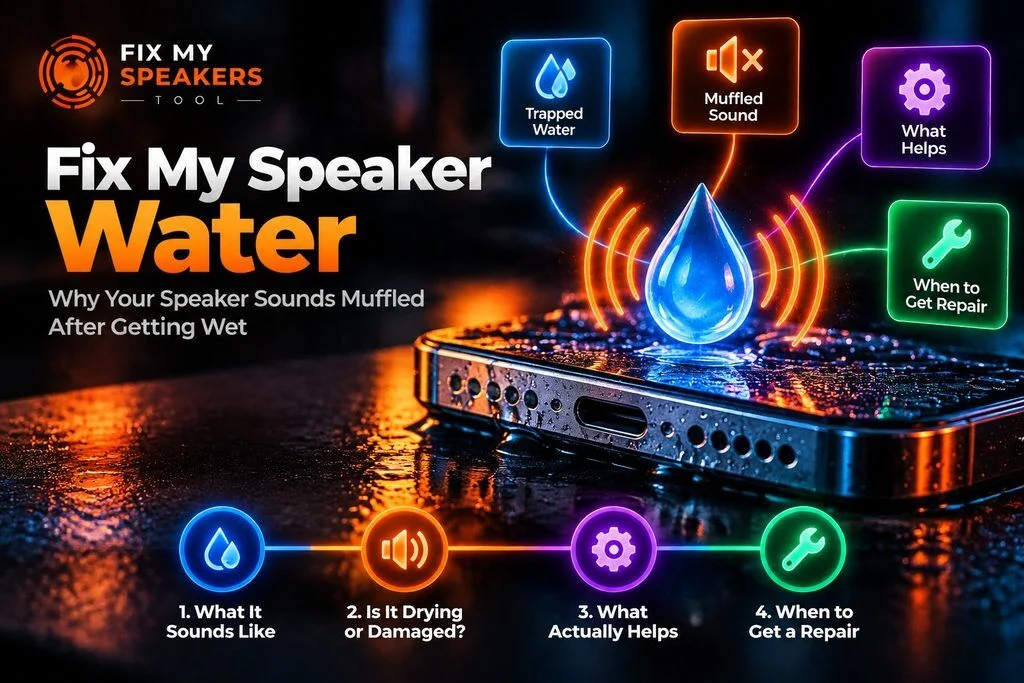
Fix My Speaker Water – Why Your Speaker Sounds Muffled After Getting Wet
A wet speaker is one of the most common phone problems and one of the most misunderstood. If you typed “fix my speaker water” into a search bar, you’re probably holding a phone that sounds muffled after getting wet. In most cases the cause is moisture sitting in the grille, not permanent damage, and it clears as the phone dries. This page helps you work out which situation you’re in: what trapped water sounds like, whether your phone is drying or damaged, what actually helps in the first hour, and when to stop waiting and book a repair.
If your phone is wet right now, Water Eject is the tool on this site that helps clear the speaker opening. The full step-by-step on how to remove water from phone speaker grilles lives there. Everything below this box is for judging what happens next. Most fix my speaker water searches end in one of two places: a dry speaker, or a repair bench.
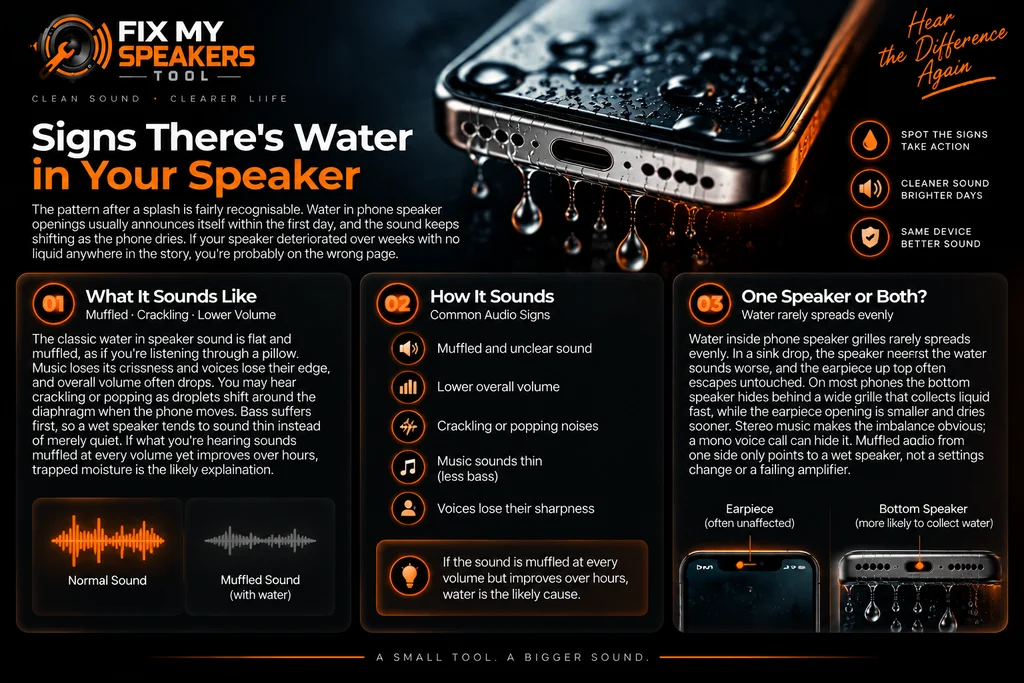
Signs There’s Water in Your Speaker
The pattern after a splash is fairly recognisable. Water in phone speaker openings usually announces itself within the first day, and the sound keeps shifting as the phone dries. If your speaker deteriorated over weeks with no liquid anywhere in the story, you’re probably on the wrong page. Fix my speaker water problems almost always start with a sound you can describe.
What It Sounds Like
The classic water in speaker sound is flat and muffled, as if you’re listening through a pillow. Music loses its crispness and voices lose their edge, and overall volume often drops. You may hear crackling or popping as droplets shift around the diaphragm when the phone moves. Bass suffers first, so a wet speaker tends to sound thin instead of merely quiet. If what you’re hearing sounds muffled at every volume yet improves over hours, trapped moisture is the likely explanation.That combination — muffled at every volume, but improving — is the clearest signal there is.
One Speaker or Both?
Water inside phone speaker grilles rarely spreads evenly. In a sink drop, the speaker nearest the water sounds worse, and the earpiece up top often escapes untouched. On most phones the bottom speaker hides behind a wide grille that collects liquid fast, while the earpiece opening is smaller and dries sooner. Stereo music makes the imbalance obvious; a mono voice call can hide it. Muffled audio from one side only points to a wet speaker, not a settings change or a failing amplifier. Uneven sides narrow the problem down to the grille itself.
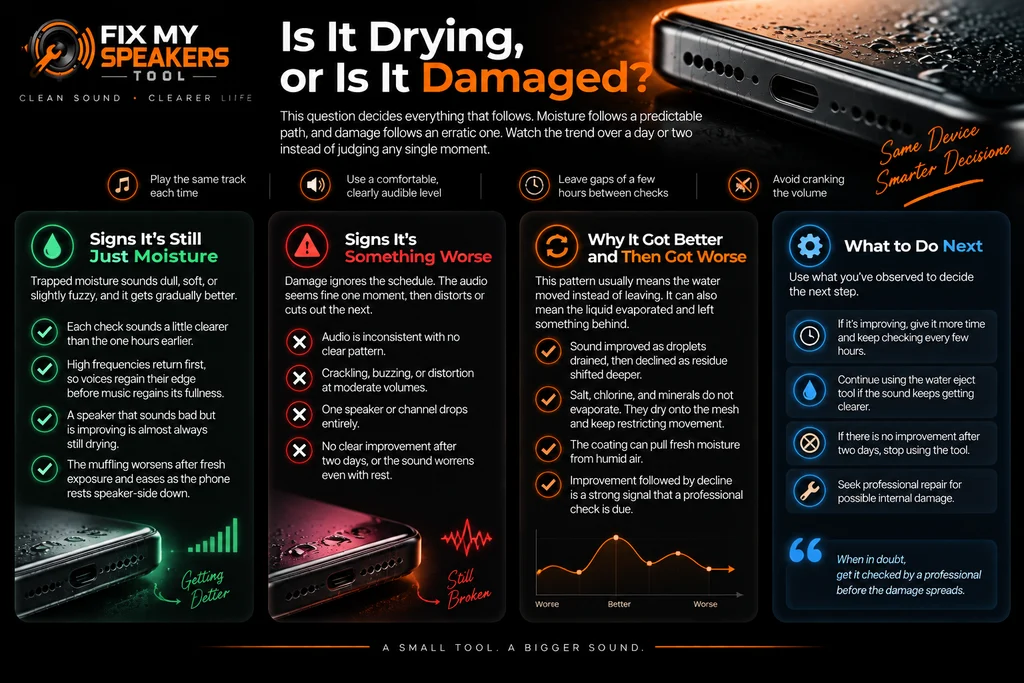
Is It Drying, or Is It Damaged?
This question decides everything that follows. Every wet speaker splits along this line. Moisture follows a predictable path, and damage follows an erratic one. You can tell them apart by watching the direction of travel over a day or two instead of judging any single moment. Play the same track or voice note each time at a comfortable, clearly audible level, and listen for quality rather than loudness. Cranking the volume adds distortion that hides small improvements. Leave gaps of a few hours between checks; testing every few minutes flattens your sense of the trend.
Signs It’s Still Just Moisture
Trapped moisture sounds dull, soft, or slightly fuzzy, and it gets gradually better. Each check sounds a little clearer than the one hours earlier. High frequencies return first, so voices regain their edge before music regains its fullness. Direction matters more than the current state: a speaker that sounds bad but is visibly improving is almost always still drying. The muffling should also behave consistently, worsening after fresh exposure and easing as the phone rests speaker-side down on a lint-free cloth. That trend is the best outcome a fix my speaker water case can have.
Signs It’s Something Worse
Damage ignores the schedule. The audio seems fine one moment, then distorts or cuts out the next. You might hear crackling with no pattern, buzzing at moderate volumes, or one channel that drops entirely. Phone speaker water damage that has reached internal parts produces exactly this erratic behaviour, and more drying will not steady it. If two days pass with no clear improvement, or the sound worsens across a day of complete rest, treat the speaker as damaged. Fix my speaker water damage that behaves erratically needs a technician, not more time.
Why It Got Better and Then Got Worse
This pattern usually means the water moved instead of leaving. Sound improved while droplets drained off the diaphragm, then declined as residue shifted or crept deeper. It can also mean the liquid evaporated and left something behind. Salt, chlorine, and minerals do not evaporate with the water. They dry onto the mesh and keep restricting movement, so the speaker partly recovers, then stalls, or the coating pulls fresh moisture from humid air. Improvement followed by decline is the strongest signal on this page that a professional check is due. Residue turns a simple fix my speaker water case into a stalled one.
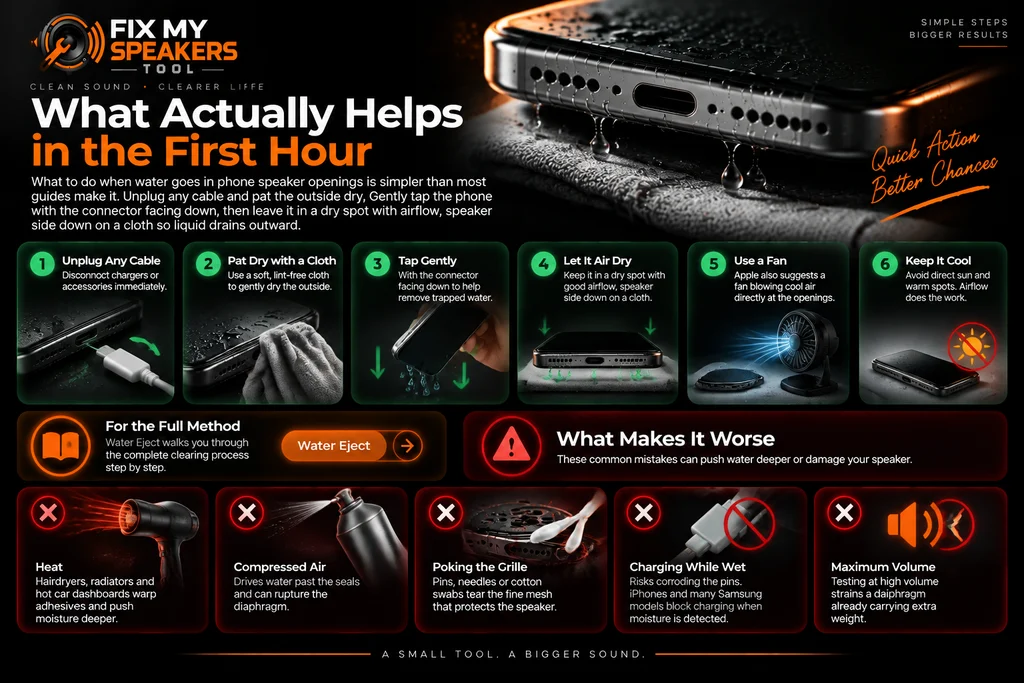
What Actually Helps in the First Hour
Fix my speaker water advice is simpler than most guides make it. Unplug any cable and pat the outside dry with a lint-free cloth. Gently tap the phone with the connector facing down, then leave it in a dry spot with airflow, speaker side down on a cloth so liquid drains outward. Apple also suggests a fan blowing cool air directly at the openings. Airflow does the work here, so keep the phone out of direct sun and away from warm spots. Maybe you typed “water entered my phone speaker” into a search bar tonight; the routine is the same either way. For the full clearing method, Water Eject walks you through it step by step.
What Makes It Worse
Heat is the first mistake. Hairdryers, radiators, and hot car dashboards warp adhesives and push moisture deeper while appearing to help. Compressed air drives water past the seals and can rupture the diaphragm. Poking the grille with pins, needles, or cotton swabs tears the fine mesh that protects the speaker. Charging through a wet connector risks corroding the pins, which is why iPhones and many Samsung models block it. Testing at maximum volume strains a diaphragm already carrying extra weight, so judge quietly.
Why Water Makes a Speaker Sound Muffled
A phone speaker works by pushing a tiny diaphragm back and forth very fast. Water interferes twice. Droplets in the grille physically block part of the path between the diaphragm and your ear, and moisture adds weight and drag to the diaphragm itself, restricting how far it moves. What reaches you is a duller version of the signal: high notes soften first, bass goes thin, and everything seems to come from further away. That is why a speaker sounds muffled after a splash that never touched anything internal. Early on, the problem is usually mechanical restriction, not electronics. The effect is out of proportion to the amount of water. A few drops are enough, because the openings are small and the moving parts are light. Understanding that restriction explains why fix my speaker water cases sound worse than they are.
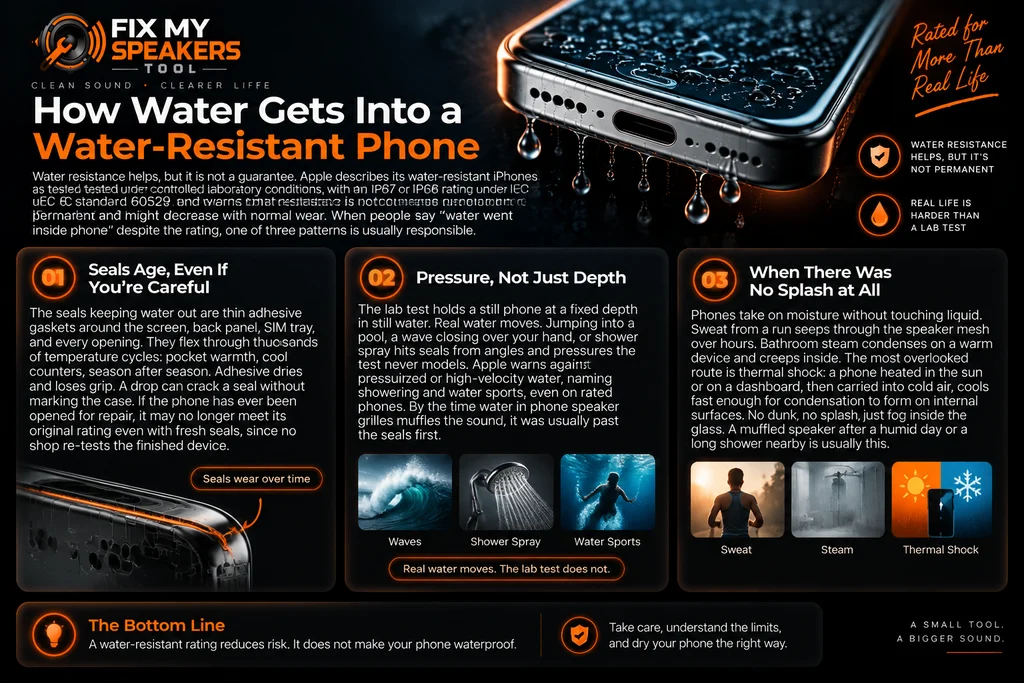
How Water Gets Into a Water-Resistant Phone
The rating promises less than people assume. Apple’s support page describes its water-resistant iPhones as tested under controlled laboratory conditions, with an IP67 or IP68 rating under IEC standard 60529, and warns that resistance is not permanent and might decrease with normal wear. The rating belongs to a brand-new, factory-sealed phone in fresh water, at a defined depth and duration. When people say “water went inside phone” despite the rating, one of three patterns is usually responsible.
Seals Age, Even If You’re Careful
The seals keeping water out are thin adhesive gaskets around the screen, back panel, SIM tray, and every opening. They flex through thousands of temperature cycles: pocket warmth, cool counters, season after season. Adhesive dries and loses grip. A drop can crack a seal without marking the case. If the phone has ever been opened for repair, it may no longer meet its original rating even with fresh seals, since no shop re-tests the finished device.
Pressure, Not Just Depth
The lab test holds a still phone at a fixed depth in still water. Real water moves. Jumping into a pool, a wave closing over your hand, or shower spray hits seals from angles and pressures the test never models. Apple warns against pressurized or high-velocity water, naming showering and water sports, even on rated phones. By the time water in phone speaker grilles muffles the sound, it was usually past the seals first.
When There Was No Splash at All
Phones take on moisture without touching liquid. Sweat from a run seeps through the speaker mesh over hours. Bathroom steam condenses on a warm device and creeps inside. The most overlooked route is thermal shock: a phone heated in the sun or on a dashboard, then carried into cold air, cools fast enough for condensation to form on internal surfaces. No dunk, no splash, just fog inside the glass. A muffled speaker after a humid day or a long shower nearby is usually this.
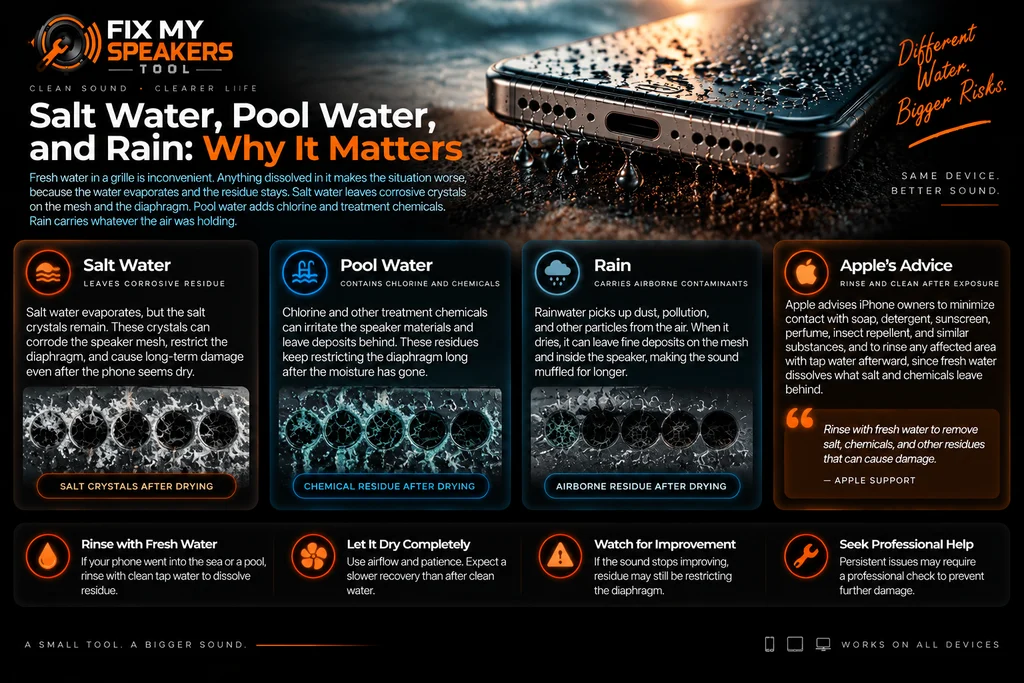
Salt Water, Pool Water, and Rain: Why It Matters
Fresh water in a grille is inconvenient. Anything dissolved in it makes the situation worse, because the water evaporates and the residue stays. Salt water leaves corrosive crystals on the mesh and the diaphragm. Pool water adds chlorine and treatment chemicals. Rain carries whatever the air was holding. Apple tells iPhone owners to minimize contact with soap, detergent, sunscreen, perfume, insect repellent, and similar substances, and to rinse any affected area with tap water afterward, since fresh water dissolves what salt and chemicals leave behind. A rinse sounds wrong with a wet phone, but concentrated residue causes more trouble than clean water ever will. If the phone went into the sea or a pool, expect a slower recovery than after clean water, and take any stall in improvement seriously: residue keeps restricting the diaphragm long after the moisture looks gone.
How Long It Takes to Sound Normal Again
Drying times depend on airflow more than anything else. Apple’s published guidance for a wet iPhone is patience with airflow: the company says it can take up to 24 hours for a device to fully dry, and its speaker advice amounts to leaving the water to evaporate. Many speakers sound close to normal within hours; some take the full day and a bit beyond, since the grille holds moisture longer than the casing. Check twice a day rather than every few minutes. If the sound has clearly improved and only faint dullness remains, that last bit usually fades with the final moisture. If you already used Water Eject, the wait ahead is short. If several days change nothing, stop measuring time and read the repair section below.
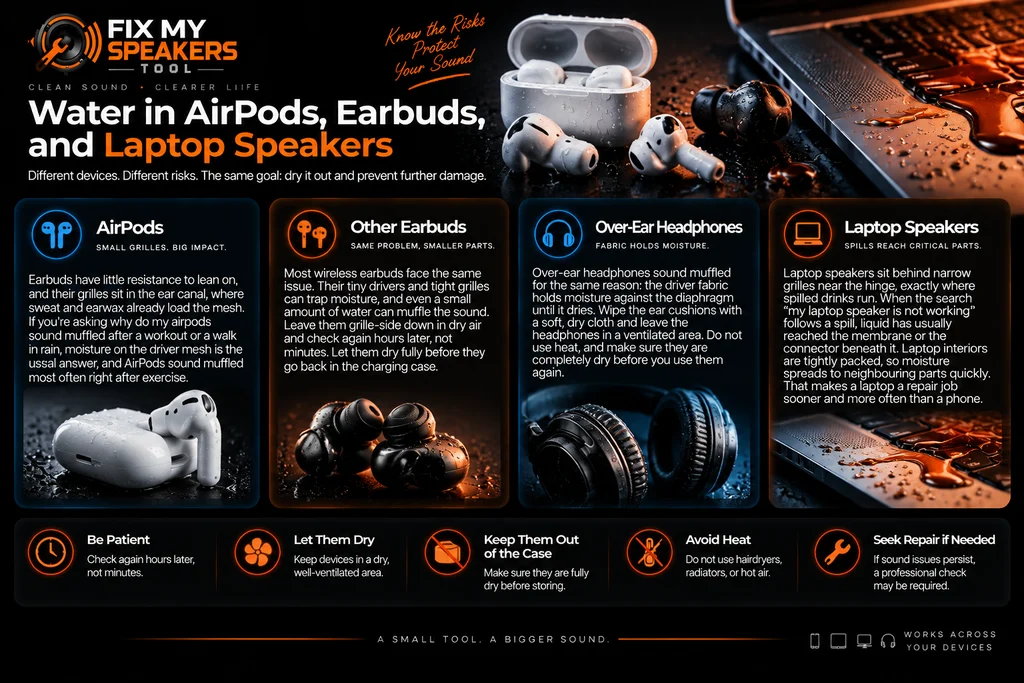
Water in AirPods, Earbuds, and Laptop Speakers
Earbuds fail differently from phones. They have little resistance to lean on, and their grilles sit in the ear canal, where sweat and earwax already load the mesh. If you’re asking why do my airpods sound muffled after a workout or a walk in rain, moisture on the driver mesh is the usual answer, and AirPods sound muffled most often right after exercise. Leave them grille-side down in dry air and check again hours later, not minutes. Let them dry fully before they go back in the charging case. Over-ear headphones sound muffled for the same reason: the driver fabric holds moisture against the diaphragm until it dries.
Laptop speakers sit behind narrow grilles near the hinge, exactly where spilled drinks run. When the search “my laptop speaker is not working” follows a spill, liquid has usually reached the membrane or the connector beneath it. Laptop interiors are tightly packed, so moisture spreads to neighbouring parts quickly. That makes a laptop a repair job sooner and more often than a phone.
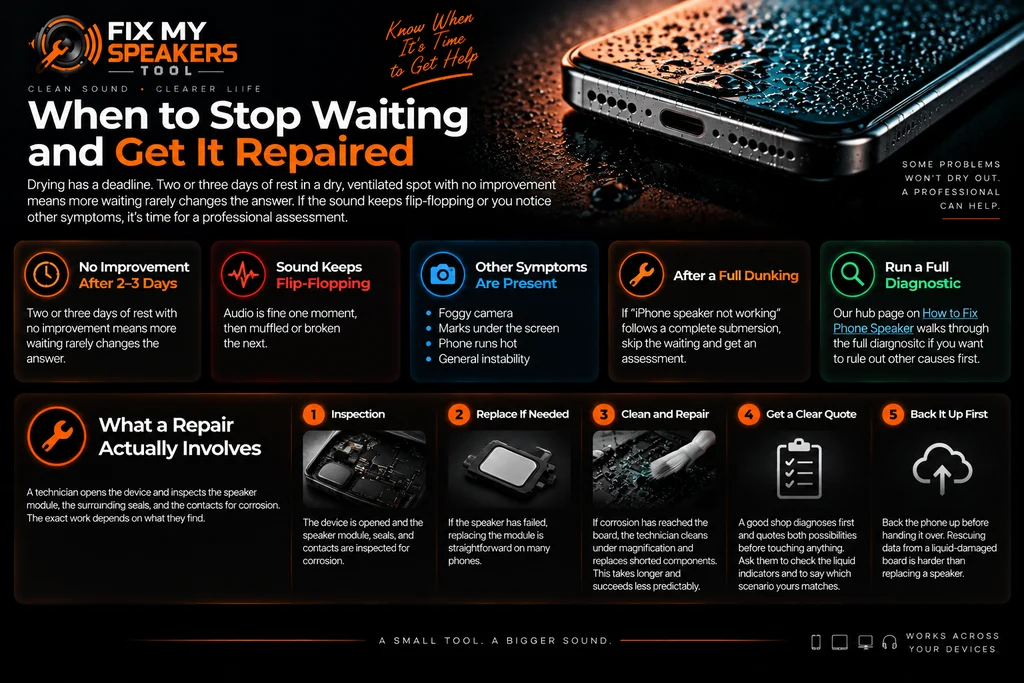
When to Stop Waiting and Get It Repaired
Drying has a deadline. Two or three days of rest in a dry, ventilated spot with no improvement means more waiting rarely changes the answer. The same applies when the sound keeps flip-flopping between fine and broken, or when the muffling arrives with other symptoms like a foggy camera, marks under the screen, or a phone that runs hot. Those signs point past the grille. Typing “repair my speaker” into a search bar at this stage is the correct move, and water damage speaker repair is a common job for phone shops. If “iPhone speaker not working” is what brought you here after a full dunking, skip the waiting entirely and get an assessment. Our hub page on How to Fix Phone Speaker walks through the full diagnostic if you want to rule out other causes first.
What a Repair Actually Involves
A technician opens the device and inspects the speaker module, the surrounding seals, and the contacts for corrosion. If the speaker itself has failed, replacing the module is a straightforward job on many phones. If corrosion has reached the board, the work becomes cleaning under magnification and replacing shorted components, which takes longer and succeeds less predictably. A good shop diagnoses first and quotes both possibilities before touching anything. Ask them to check the liquid indicators and to say which scenario yours matches. Back the phone up before handing it over: rescuing data from a liquid-damaged board is harder than replacing a speaker.
Is It Water, or Is It Dust?
Dust and water produce similar muffling, and they often arrive together. The difference is the story. Dust builds over months with no event to name; water changes the sound within hours of something you remember. A soft, dry brush across the grille shifts dust and does nothing to water, which is one way to tell them apart. Pocket lint collects in the same grille. If there’s no splash in your history, our Fix My Speaker Dust guide takes the diagnosis from here.
Frequently Asked Questions
Related Speaker Guides
- Water Eject — the tool that helps clear a wet speaker
- How to Fix Phone Speaker — the main troubleshooting hub
- Fix My Speaker Dust — when debris is the culprit
- Fix My Speaker Volume — for quiet, not wet, speakers
- Speaker Test Online — check both speakers once it’s dry
About This Page
This page covers why phone speakers sound muffled after water exposure, how to tell drying from damage over time, and when repair becomes the sensible next step. There is no tool on this page; for the site’s background and the tool itself, see the homepage.


