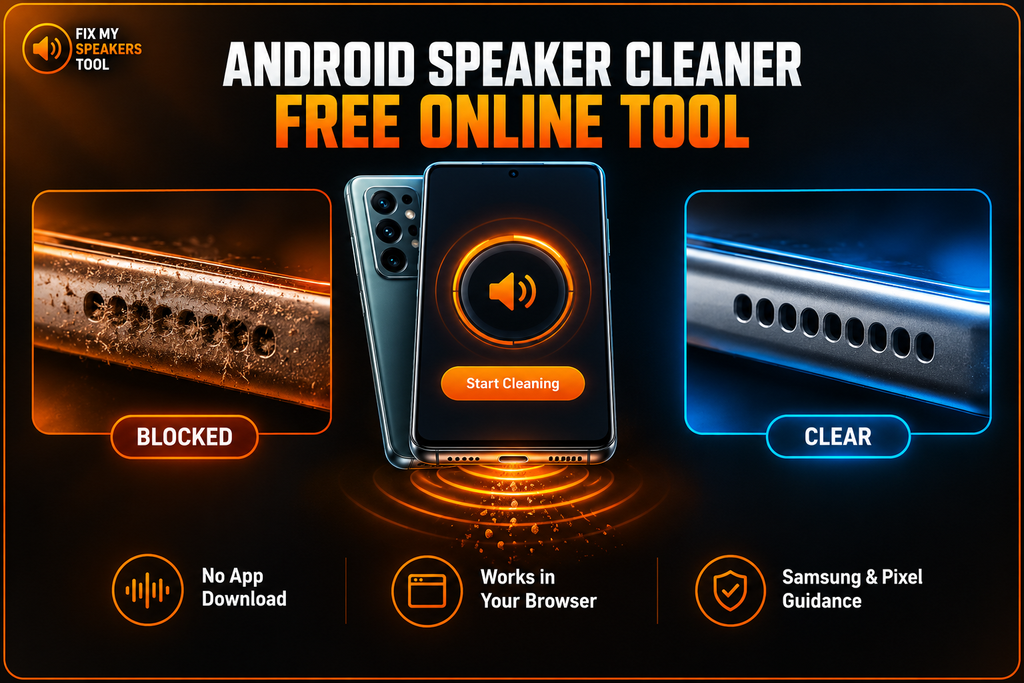
This free Android speaker cleaner plays a low-frequency tone right in your browser. The tone helps shake loose lint and dust from the speaker openings. You need no app and no account, and nothing gets stored. The tone is the same on every phone. What changes on Android is the guidance around it. If the grille looks blocked, run the tool first. Then read on to see what Samsung and Google actually say about cleaning, and where we add our own judgement.
Select which opening is blocked
Runs in your browser · nothing stored
Which opening is blocked?
Keep the speaker away from your ears and use a comfortable, clearly audible volume. Louder does not move more debris. Stop if the phone feels warm or the sound distorts.
Did the sound improve?
Good. Run one more short cycle only if some muffling remains, then check the result on the speaker test to confirm both channels are clear.
Loose debris responds to the tone; packed or oily grime does not. Next steps, in order:
- Brush the opening with a small, non-metallic, soft-bristled brush that is clean and dry, moving debris away from the opening. Neither Samsung nor Google documents a speaker procedure, so this is our recommendation rather than theirs.
- If the problem is moisture rather than dry debris, go to the Water Eject page instead.
- For persistent dust-related muffling, the Fix My Speaker Dust page covers the next diagnostic step.
- If only call audio is muffled, see the ear speaker guide.
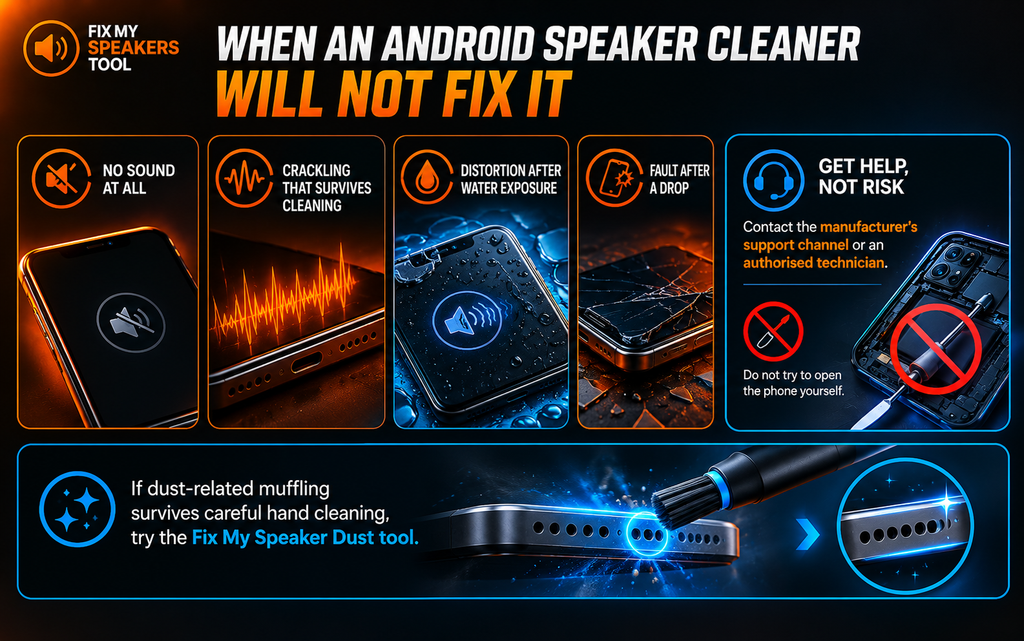
No sound at all, crackling after thorough cleaning, or a fault that began after a drop means hardware. Contact your manufacturer's support channel or an authorised technician rather than repeating cycles.
Moisture Detected” Does Not Mean Your Speaker Is Wet
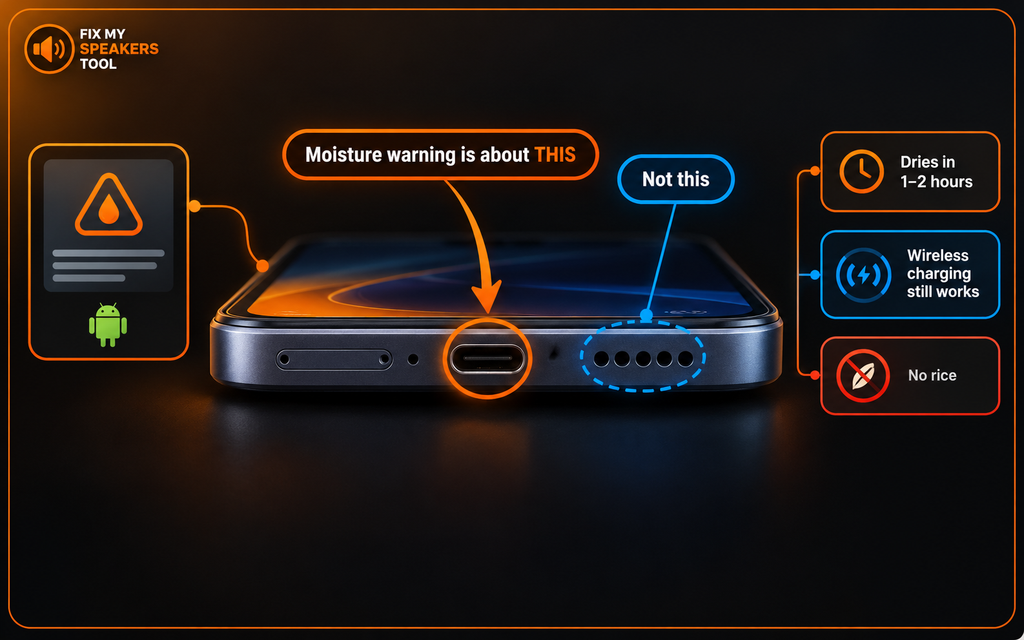
Samsung’s “moisture detected” warning is about the USB-C charging port. It says nothing about the speaker. Samsung’s moisture detection guidance covers this. When the phone finds moisture in the port, “an error message will be displayed and charging will stop.” An Android speaker cleaner cannot dry a charging port.
Samsung says water usually evaporates from the port in about 1 to 2 hours. Wireless charging keeps working in the meantime because moisture in the port does not affect it. Just dry the phone thoroughly before you set it on a wireless charger.
Here is the practical point. Many people who see this warning have no speaker problem at all. They have a wet port, and the port needs time to dry.
If the grille or earpiece genuinely sounds muffled, the sections below apply to you.
How to Clean an Android Phone Speaker With the Tool
Place the phone with the blocked opening facing downward so gravity works with the tone. Play it at a comfortable and clearly audible level. Stop if the phone feels warm or the sound starts to distort. That is the first thing to try when working out how to clean an Android phone speaker. Using the Android speaker cleaner this way costs you nothing and risks nothing.
Bottom Grille or Earpiece
Android phones have two openings. The bottom grille handles media and speakerphone audio. The earpiece sits at the top of the display and handles call audio. They work separately, so clearing one does not help the other. Look at both under a bright light and see which mesh shows lint. Then face that opening downward and run the Android speaker cleaner on it. Run one opening at a time.
How Long to Run It
A short cycle is enough. Keep each one to 30 seconds or less. Past roughly half a minute the tone mostly produces warmth and does not shift more material. A louder tone does not move more debris either.
Run another short cycle later if the sound is still off. Use the Android speaker cleaner when the sound has changed instead of on a schedule.
What Samsung and Google Actually Document
Both companies publish cleaning guidance. Both are clear about what to avoid. Neither documents a speaker-grille procedure. Their pages cover the outside of the phone and stop there.
Apple does publish a speaker method for the iPhone, and our iPhone Speaker Cleaner page covers it. Anyone looking for how to clean a speaker on Android runs into that gap, which is why the sections below separate what the manufacturers state from what we recommend.
What Both Rule Out
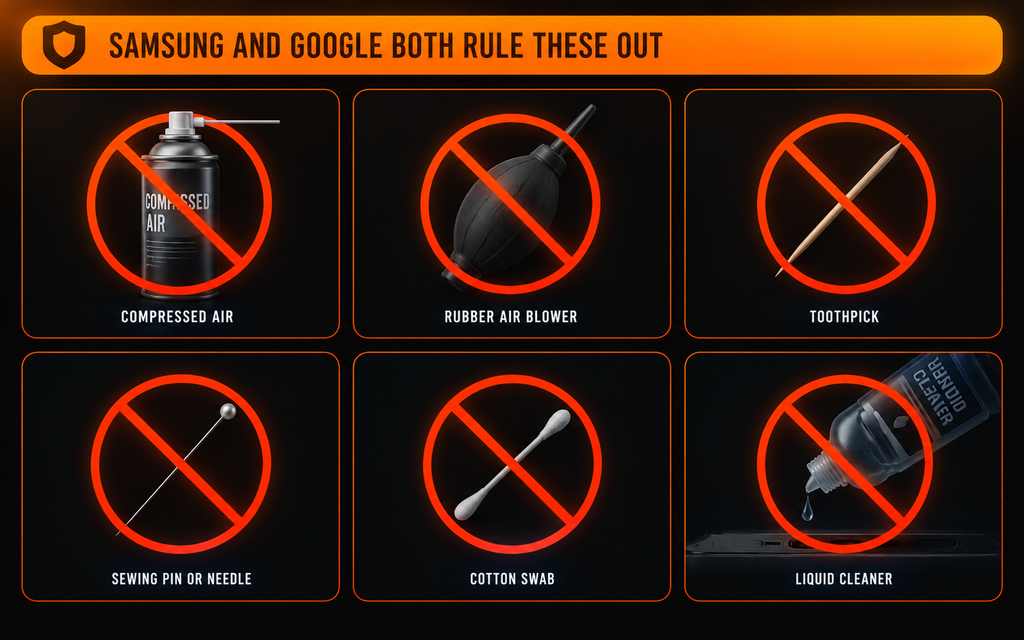
Samsung and Google both rule out compressed air. Both warn against getting moisture into any opening. Google names the USB-C port and tells you not to spray cleaners at the phone. It also bans wipes that contain bleach. Samsung says not to apply liquid solutions directly to the phone and to avoid heavy pressure.
Several widely read guides still recommend air blowers and cotton swabs. Those tips go against what both manufacturers say.
Why We Still Recommend a Brush
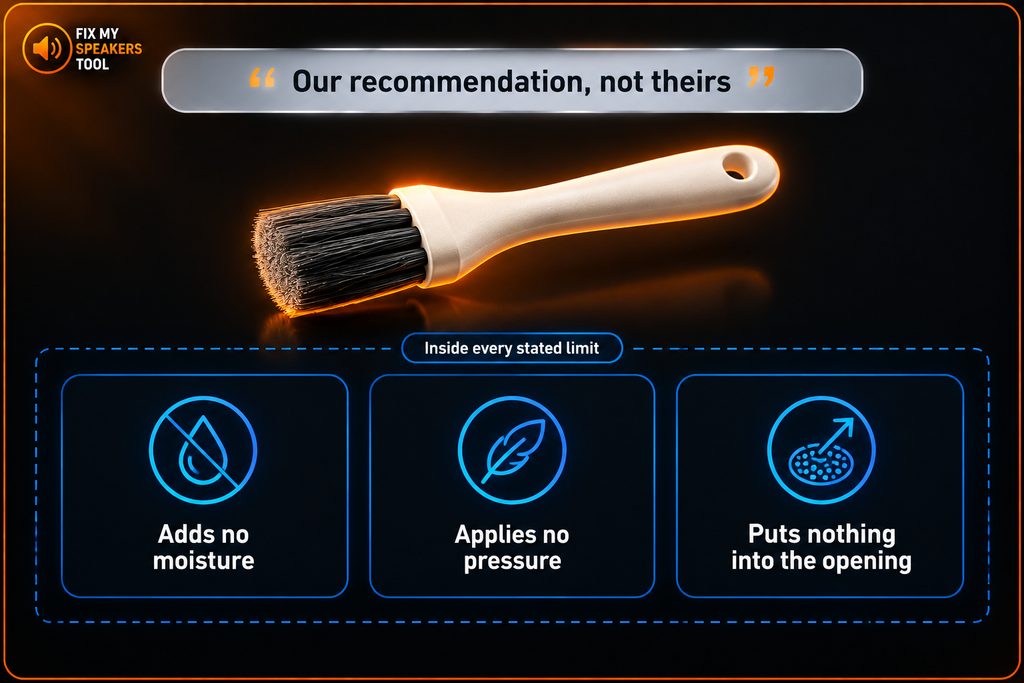
Neither Samsung nor Google publishes a speaker-grille procedure the way Apple does. A soft, dry, non-metallic brush is the most conservative option available, and it contradicts nothing either company says — but it is our recommendation, not theirs.
Here is our reasoning. A dry brush adds no moisture. It applies no pressure to the mesh. It puts nothing into the opening. That keeps it inside every limit both companies do state. If either company publishes a speaker procedure later, we will follow it.
Clean Android Speaker by Hand: The Conservative Method
This is our method and not a manufacturer procedure. Power the phone off and unplug it. Take a small, non-metallic, soft-bristled brush that is clean and dry. Brush debris away from the opening instead of across it or into it. Wipe the loosened debris with a soft, lint-free microfibre cloth. That is how to clean android phone speaker grilles by hand.
For the exterior only, you may dampen a corner of the cloth very slightly with distilled water. Keep moisture out of every opening. You can also press painter’s tape lightly against the grille and lift it away to pick up surface lint. An Android speaker cleaner suits light buildup. Packed lint needs the hand method.
Never use any of these:
- Compressed air or canned air
- Air blowers
- Toothpicks, pins, needles or paperclips
- Cotton swabs
- Any liquid near the openings
Samsung Galaxy Speakers
Samsung’s cleaning page for Galaxy phones covers surfaces only. It tells you to use a soft, lint-free microfibre cloth, such as a camera lens cloth. You may dampen one corner with distilled water. You may also use a disinfectant that is hypochlorous acid based (50–80ppm) or contains more than 70% ethanol or isopropyl alcohol. Samsung bans compressed air. It also says not to spray liquids or bleach onto the phone and not to apply any solution directly.
Keep moisture out of every opening and avoid heavy pressure or excessive wiping. You can read all of it in Samsung’s official Galaxy cleaning guide.
The page gives no speaker-grille steps. People often ask how to clean Samsung phone speaker grilles, and the page has no answer. For Samsung Galaxy speaker cleaning, our brush method fits closest inside those limits. A tone-based cleaner also stays inside those limits, because it adds no liquid and touches nothing.
Recent Galaxy flagships carry an IP68 rating. Water resistance is tested under controlled conditions and does not last forever. Treat it as a safety margin and not a reason to rinse the phone.

Google Pixel Speakers
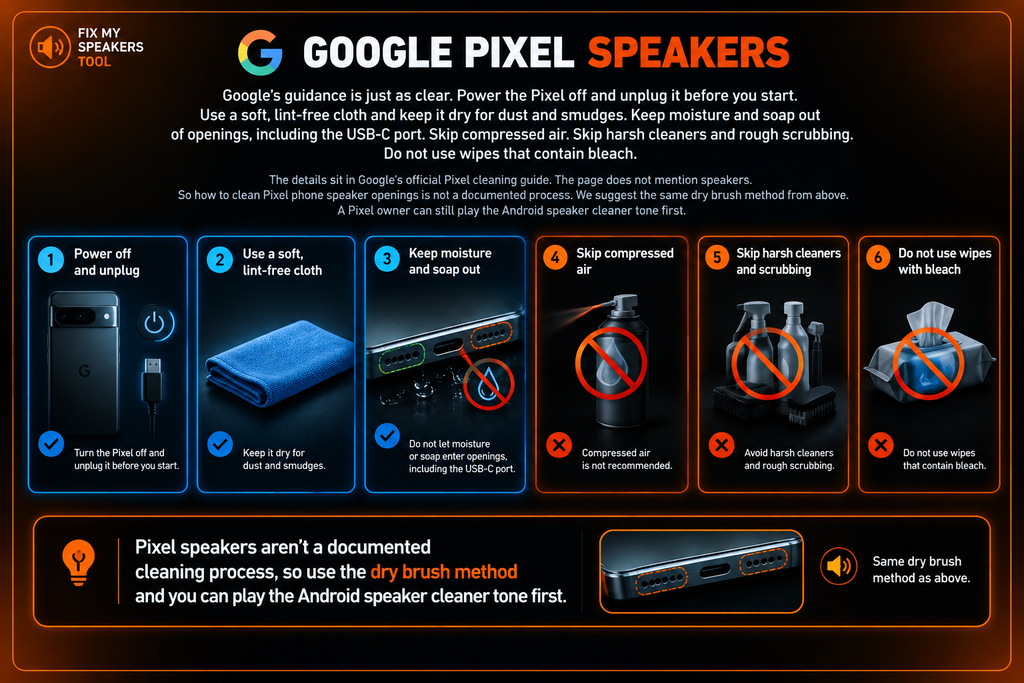
Google’s guidance is just as clear. Power the Pixel off and unplug it before you start. Use a soft, lint-free cloth and keep it dry for dust and smudges. Keep moisture and soap out of openings, including the USB-C port. Skip compressed air. Skip harsh cleaners and rough scrubbing. Do not use wipes that contain bleach.
The details sit in Google’s official Pixel cleaning guide. The page does not mention speakers. So how to clean Pixel phone speaker openings is not a documented process. We suggest the same dry brush method from above. A Pixel owner can still play the Android speaker cleaner tone first.
OnePlus, Xiaomi, Motorola and Sony
The same principles apply on OnePlus, Xiaomi, Motorola and Sony phones. They come from what is physically safe and not from any one company. Keep things dry. Skip pressure. Put nothing sharp or wet into an opening.
Check your own manufacturer’s support site for device-specific guidance. This page covers every Android brand. We do not publish separate pages for each brand or model because the advice does not change with the badge. The steps above clean Android speaker openings on any of these phones. The Android speaker cleaner above works the same way on each brand. Check your own manufacturer’s support site for device-specific guidance.

Does Android Have a Built-In Water Eject?
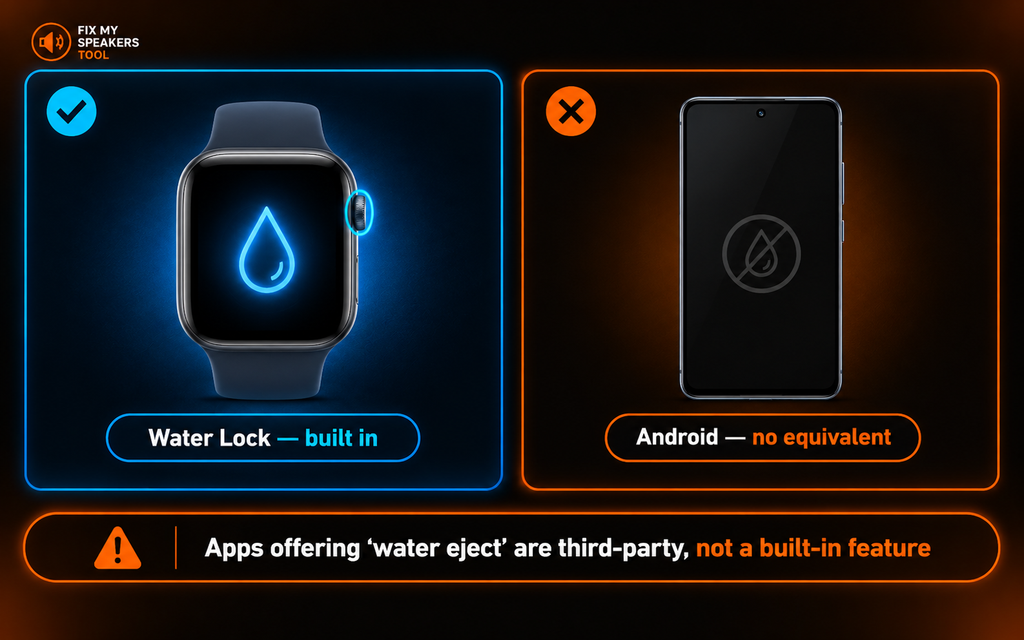
No. Apple Watch has Water Lock, which plays tones to clear water from its speaker. Android phones have no equivalent. No Android manufacturer documents a built-in water eject feature.
We checked this directly. Every page that claims a water eject Android feature comes from a third-party tool site or app. None comes from Samsung or Google. Apps and sites that offer a “Samsung water eject” are third-party tools, and their volume behaviour varies.
This browser tool is third-party too. It makes no claim to be anything else. The difference is that we tell you so. Treat any Android speaker cleaner as an extra tool and not a built-in feature.
If Liquid Other Than Water Got In
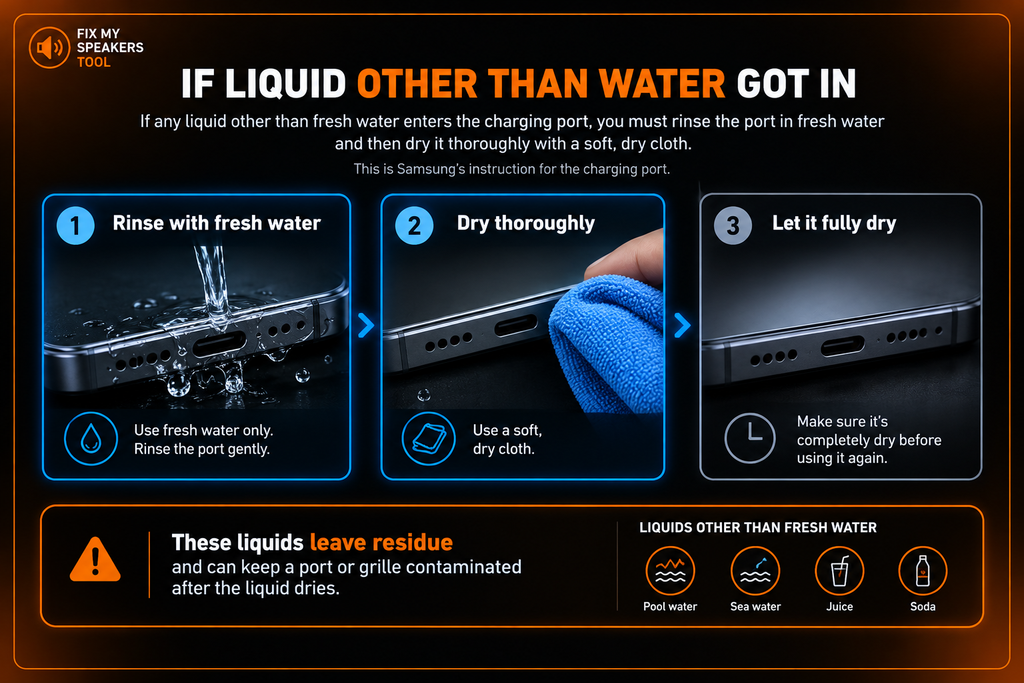
Samsung gives a rule that few guides repeat. If any liquid other than fresh water enters the charging port, you must rinse the port in fresh water and then dry it thoroughly with a soft, dry cloth. You will find it in Samsung’s moisture detection guidance.
The logic is simple. Fresh water evaporates and leaves nothing behind. Pool water, sea water, juice and soda leave residue. That residue keeps a port or grille contaminated after the liquid dries.
This is Samsung’s instruction for the charging port. For water in a Samsung phone speaker itself, see our Water Eject page.
Why This Android Speaker Cleaner Is Not Tuned for Your Brand
The tone is the same low-frequency cycle on every phone. Nothing about it is calibrated, optimised or measured for Samsung, Pixel or any other brand. Some sites publish a specific figure for a specific brand without showing the measurements behind it.
We publish no figure either because we have none to show. Our Speaker Cleaner page covers the full discussion, so we keep it short here.

When an Android Speaker Cleaner Will Not Fix It
Cleaning only goes so far Some faults are hardware faults. No sound at all is one. Crackling that survives thorough cleaning is another. So is distortion after water exposure, or a fault that began after a drop. Contact the manufacturer’s support channel or an authorised technician. Do not try to open the phone yourself.
If dust-related muffling survives careful hand cleaning, try the Fix My Speaker Dust tool.
Frequently Asked Questions
Related Speaker Guides
Speaker Cleaner — sound, brush or repair: which you need
iPhone Speaker Cleaner — for Apple devices
Fix My Speaker Dust — the dust cleaning tool
Water Eject — when it’s moisture, not dust
Speaker Test Online — check the result afterwards
About This Tool
This tool is part of our free speaker and microphone cleaning suite. For more details about how we built it and why we keep it free, see the About section on our homepage.